Updated 2026-08-30
How to Fish Black Screen When Joining: Fixes
Fix a How to Fish black screen when joining friends with Patch 1.0.10 connection changes, Steam Relay checks, matching builds, fresh lobbies, and clean mod tests.
Reported
If How to Fish shows a black screen only when joining friends, update every player to Patch 1.0.10, check the Steam Relay diagnostic, close the old session, restart Steam and the game, then let the host create a fresh private lobby and send a new invitation. Patch 1.0.10 uses a longer connection time to reduce instant disconnects and records the build in player.log.
First identify which black screen you have
| Symptom | Start with |
|---|---|
| Main menu works; joining a friend turns the screen black | Steam Relay, version, lobby, host, and mod checks on this page |
| Game opens to black before the menu | File, display driver, overlay, and launch troubleshooting |
| Lobby is visible but the Join action fails | Invitation, session type, network, and account checks |
| One client fails while others join | That client's build, mods, firewall, and Steam connection |
Do not mix the branches. A rendering option may help a startup black screen but does not rebuild a broken multiplayer session. The joining-specific symptom needs the lobby and connection path tested first.
Check Patch 1.0.9 Steam Relay status
Patch 1.0.9 added a short Steam connection debug to the main menu. If the Steam Relay text becomes red during initialization, Dazed Games directs players to the #common-bugs guidance in its Community Discord. Capture the red status and game version before restarting so the report keeps the useful evidence.
If the Relay check is normal, continue with the lobby sequence. A green or non-red status does not prove that a specific host session is healthy; it only removes one visible connection failure from the first pass.
Check the Patch 1.0.10 connection changes
Patch 1.0.10 lengthened the connection time in an attempt to reduce instant disconnects. It also prints the game version in player.log, which gives the host and joining player a concrete build value to compare when the main-menu display is unclear.
The same patch attempted to stop equipped inventory items spawning far away and items falling through the world after loading or joining. If the black screen clears but equipment is missing, record that as a separate loading symptom instead of repeating unrelated display fixes. The developer's cautious wording means the issue may still be reproducible.
Rebuild the lobby in the right order
- Every player leaves the current lobby and exits How to Fish.
- Close Steam fully, restart it, and install any pending game update.
- Confirm that every main menu shows the same build number.
- The host creates a new private lobby with a simple name.
- The host loads into the game before sending a fresh Steam Friends invitation.
- Players join one at a time. Stop when the black screen returns so the triggering client is known.
This order incorporates the official lobby changes and joining fixes documented across Patches 1.0.4, 1.0.5, 1.0.9, and 1.0.10.
Do not reuse an old invitation or keep testing the same stale room. Patch 1.0.5 added private invite-only lobbies and allows the session type to change in-game, but that change requires a restart. Patch 1.0.4 attempted to fix black screens while joining and also stopped special characters in server names because they could break the save file.
Match files, mods, and configuration
Verify game files through Steam on the host and every failing client. Then test a completely unmodded lobby. Disable BepInEx, MelonLoader, lobby-size plugins, cheat menus, and other injected tools rather than assuming matching filenames mean matching builds.
If the clean lobby works, restore one loader and one mod at a time. The host and clients may need the same compatible version and configuration, while some host-only mods behave differently for joiners. The How to Fish mod directory explains how to isolate a mod without risking the main save.
The current official lobby ceiling is eight players after Patch 1.0.4. A lobby-cap mod is not needed merely to exceed the original store description of four, and an old capacity patch may now conflict with official networking behavior.
Test the network without disabling security
Allow both Steam and the How to Fish executable through the Windows firewall on private networks. If third-party security software blocks the game, add a narrow executable exception for a single test. Do not leave the firewall or antivirus disabled.
Try a different host after the clean private-lobby test. If everyone can join Host B but not Host A, keep the diagnosis on Host A's Steam connection, network route, game files, and saved session state. A commercial network accelerator can change routing, but it cannot repair corrupt files, mismatched mods, or a display problem.
Only then use general PC black-screen checks
Use these steps when the screen is black before any lobby, or when the multiplayer branch has been ruled out:
- Verify files and restart Windows.
- Update or roll back the graphics driver if the failure began with a driver change.
- Disable Steam, Discord, NVIDIA, AMD, or monitoring overlays for one test.
- Remove experimental
-dx11or-dx12launch options if they do not produce a clear improvement. - Back up the save before touching
AppData\\LocalLow\\Dazed Games\\How to Fish; never delete progress as a first diagnostic step.
Change one condition per launch. Stacking compatibility mode, administrator mode, a graphics API flag, disabled security, and deleted data makes a temporary success impossible to explain.
Report a reproducible joining failure
Record the game build, Steam Relay color, host name, join method, session type, player count, and exact moment the black screen appears. Add whether audio or movement continues, whether a clean unmodded lobby works, and whether a different host changes the result.
The available official notes confirm attempted fixes and diagnostics, not one universal root cause. Lobby rebuilding, one-at-a-time joining, mod removal, and host switching remain Reported troubleshooting steps.
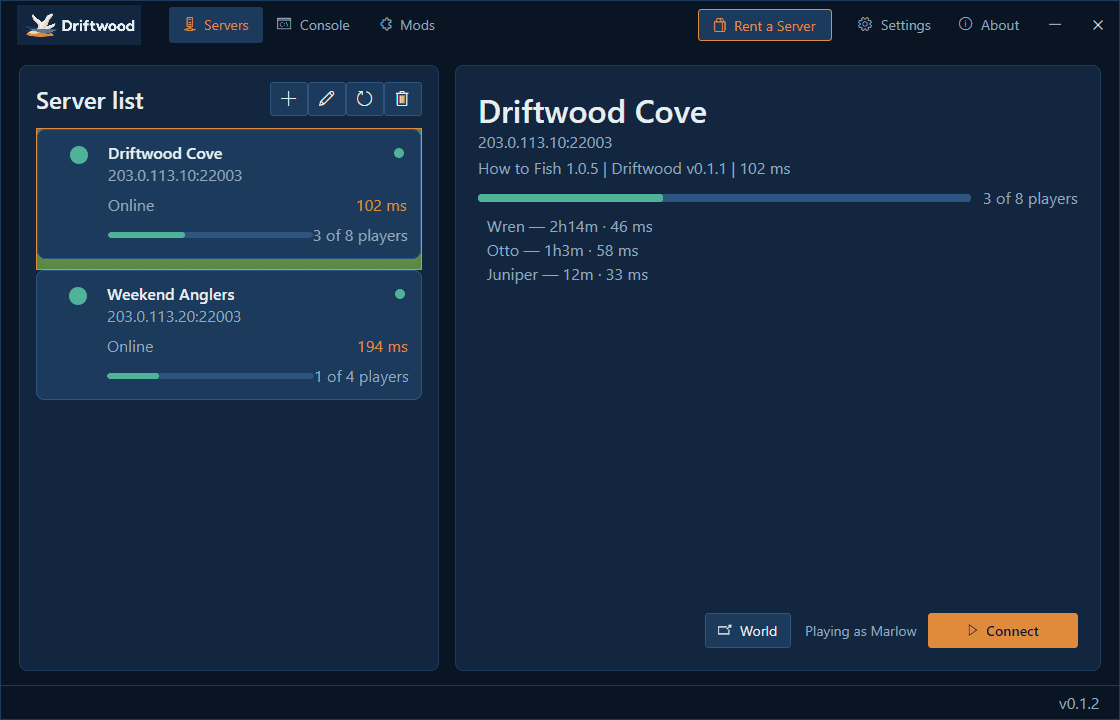
If the group is testing the unofficial Driftwood server path rather than a normal Steam lobby, use the dedicated-server status guide and reproduce the issue in an official lobby before reporting it as a base-game joining failure.
What the structured record says
- developer
- Dazed Games
- publisher
- Dazed Games
- release Date
- 2026-08-20
- platform
- Windows PC via Steam